The week at a glance
- Day 1Create your account and log a first weightThree short onboarding steps, then you are on Home.
- Day 1 or 2Choose your daily value and a reminderTwo settings that decide how days are counted and whether the app nudges you.
- Any dayImport past weights, or add a widgetOptional, in the iPhone app. Skip both if you prefer to type.
- After five logged daysYour trend chart appearsHome swaps its first-week countdown for a chart of your daily values, and History shows the chart too.
- End of the weekLook at the week, then set a goalCompare the week as a whole, and add a goal if you skipped it at the start.
Find your way around
The app has four tabs and a round log button in the middle of the tab bar.
| Tab | What it is for |
|---|---|
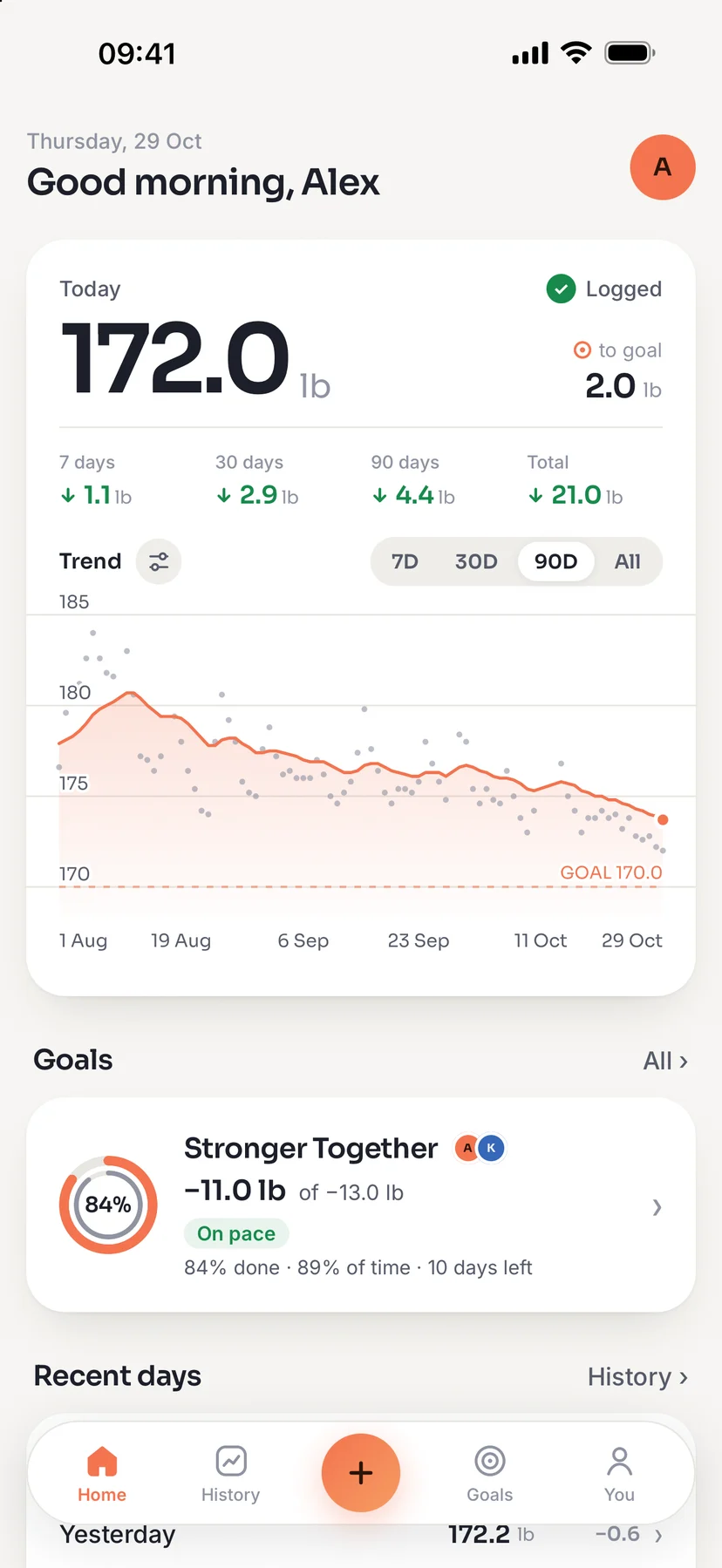
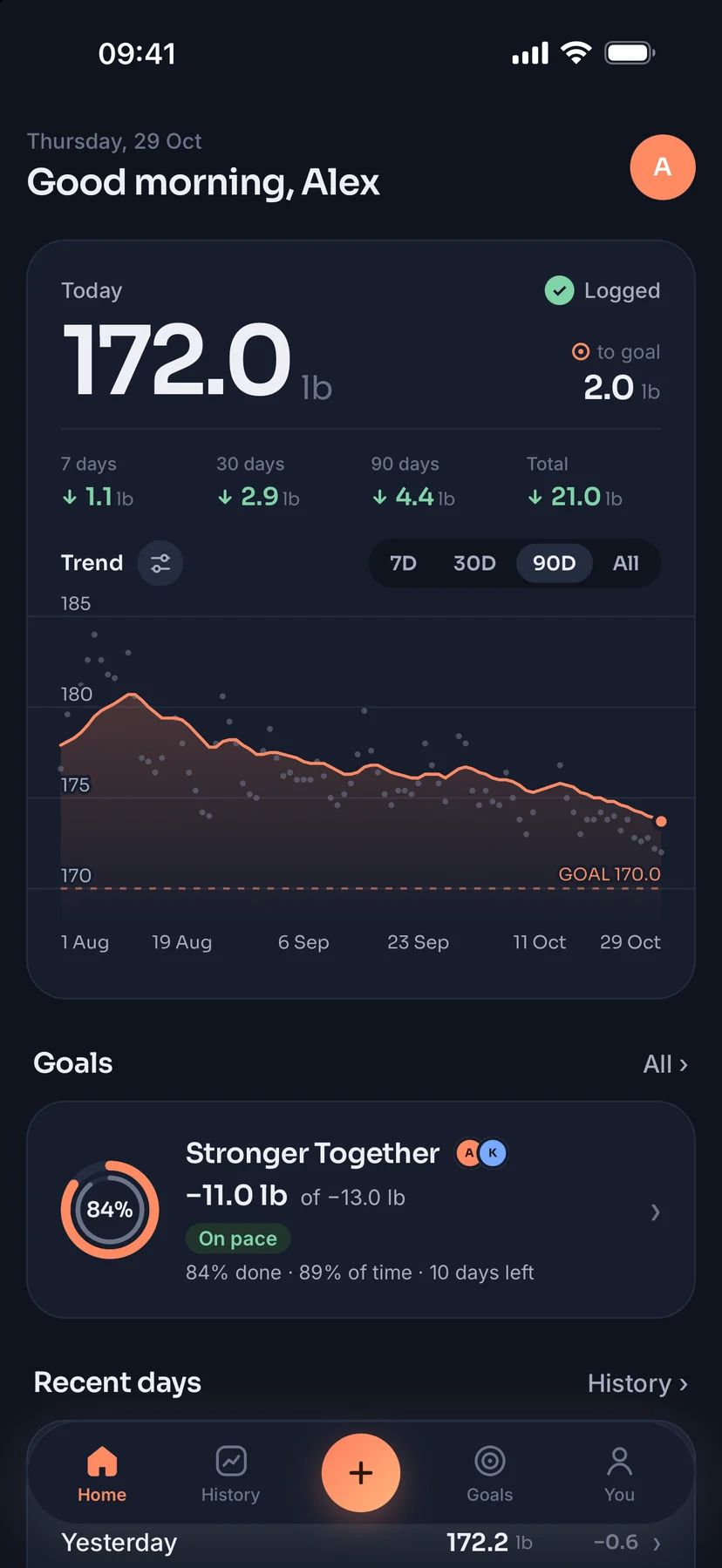
| Home | Your latest weight, how your trend has moved over 7, 30, and 90 days, the goals you show on Home, and your recent days. During your first days, a Your first week card counts down to the trend chart, which appears here after five logged days. |
| History | Every day you have logged, grouped by month, with your trend chart on top after five logged days. Tap a day to see its weigh-ins, and to edit or delete the ones you typed in. |
| Round + button | Opens the Log weight sheet. Set the weight, change the date and time if you weighed in earlier, and save. |
| Goals | Your personal goals and Shared Goals. Tap New goal to add one. |
| You | Your profile, Measurements, Reminders & data for the reminder and Apple Health, Appearance, About, and Account. |
Day 1: create your account and log a first weight
Weight Tracker is a free iPhone app, coming soon to the App Store. Setup takes three short steps after you sign up.
- Sign up. Choose Continue with Apple, Continue with Google, or Continue with email. With email, enter a name or nickname, your email, and a password with 8 or more characters, an uppercase letter, and a number. We send a verification email, but you can start straight away.
- Profile. Add your birth date, choose kilograms or pounds, and add your height and sex if you like. Weight Tracker is for adults 18 and over. Tick the box to agree that Weight Tracker stores your weight and health details to run the app. If your sign-in did not share a name, this step also asks for a name or nickname.
- First weigh-in. Drag the ruler to your weight and tap Log starting weight. This is your first entry.
- Goal, optional. Choose Lose weight or Keep my weight to set up a matching goal now, or Just track for now to skip it. You can add a goal any time.
The name you choose is also the name other members see if you later join a Shared Goal. Until your trend chart appears, the Your first week card on Home counts your logged days and offers shortcuts to turn on a reminder, import from Apple Health, and set a goal.
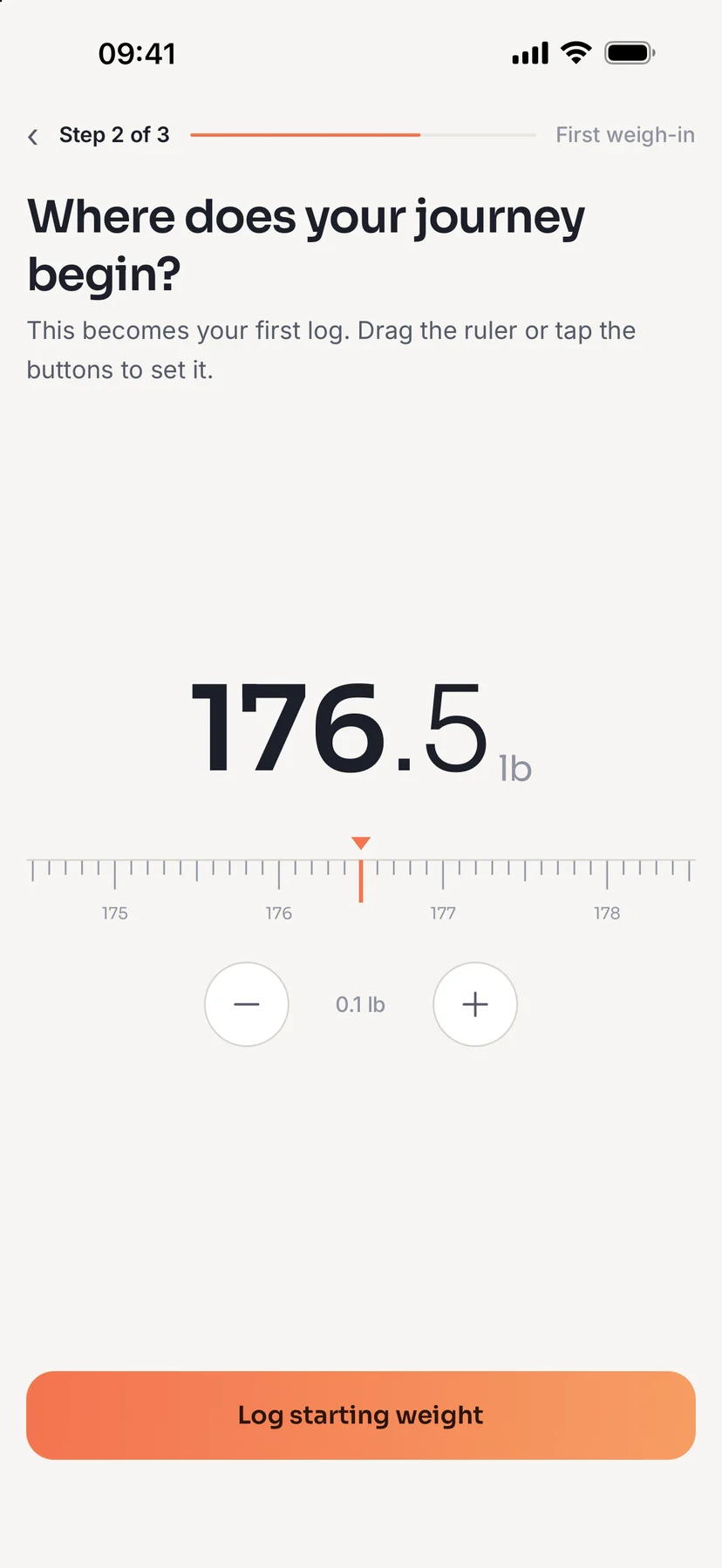
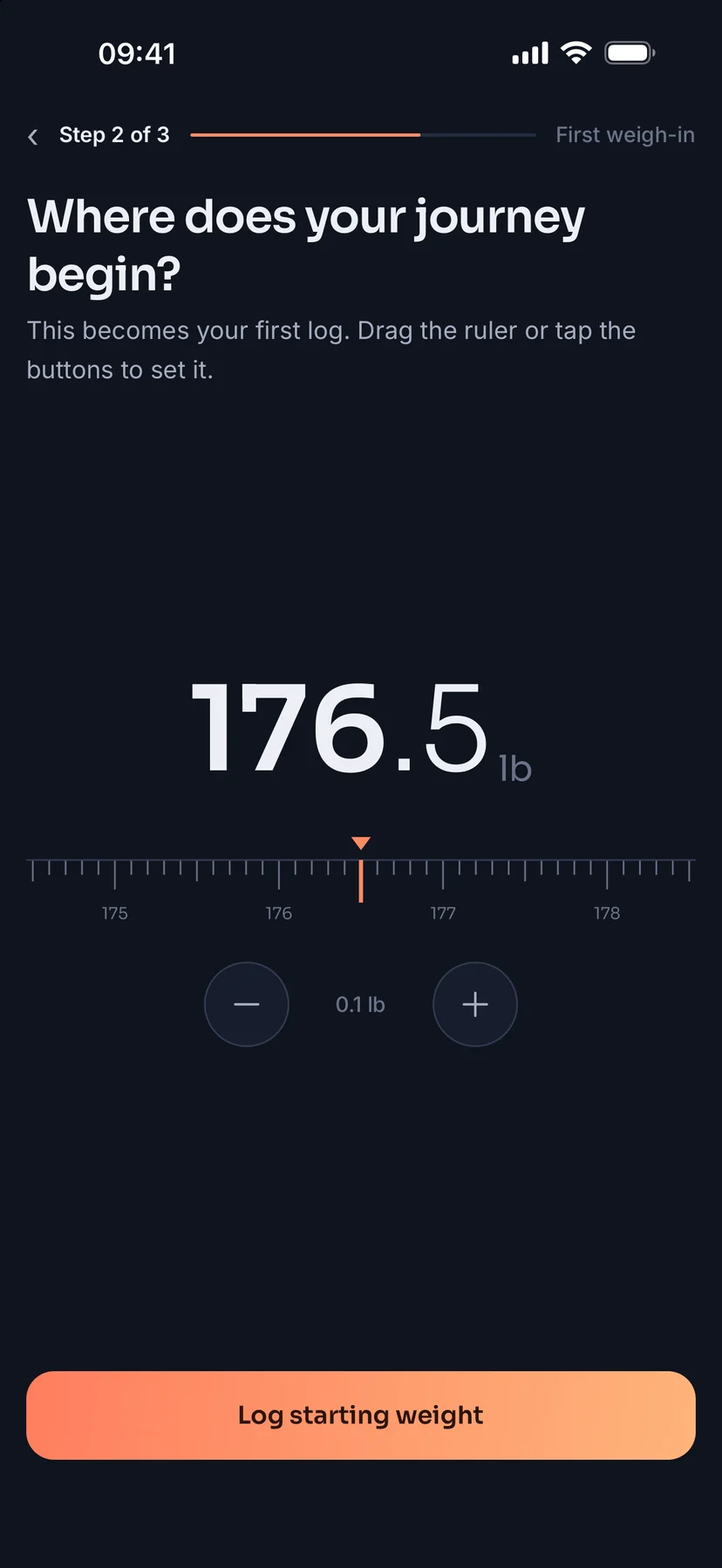
Setup asks for your first weight.
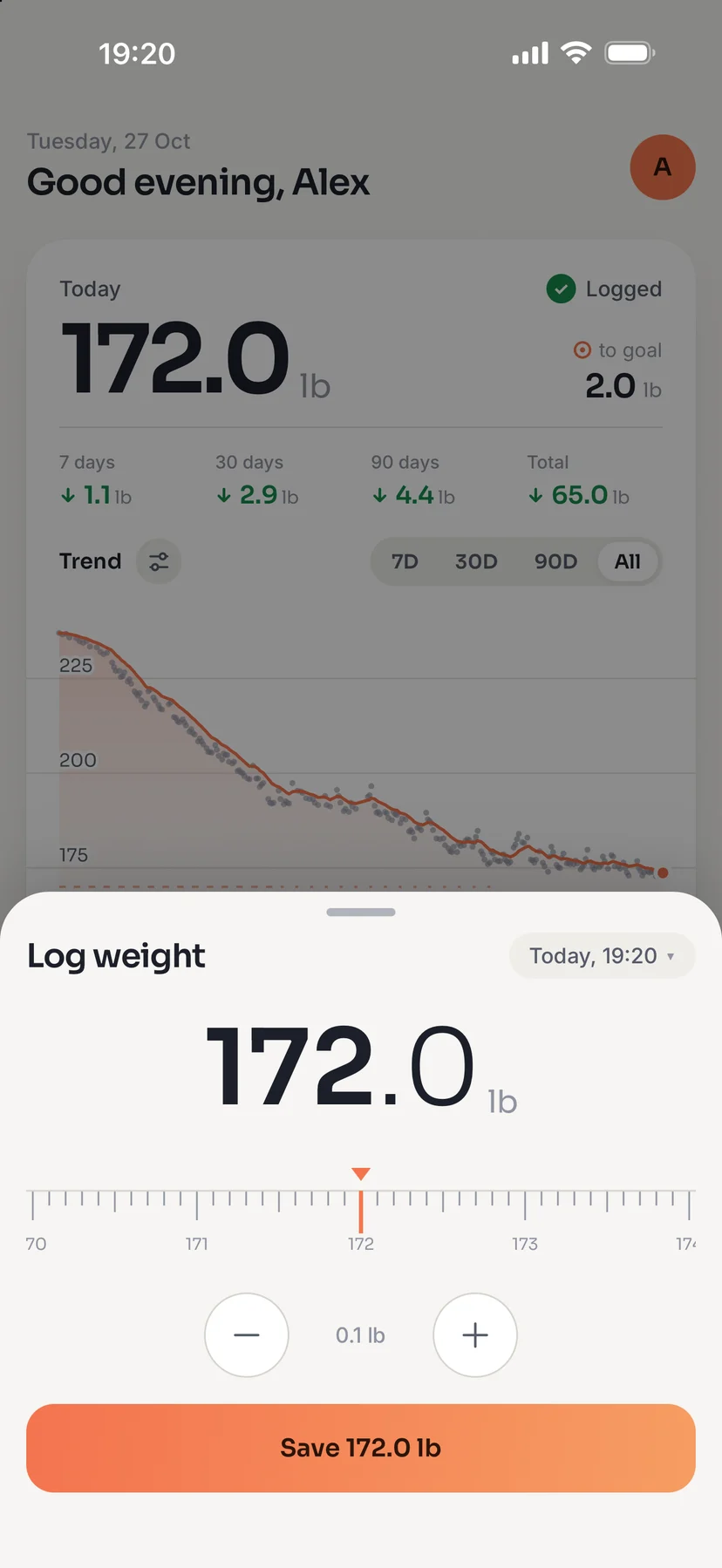
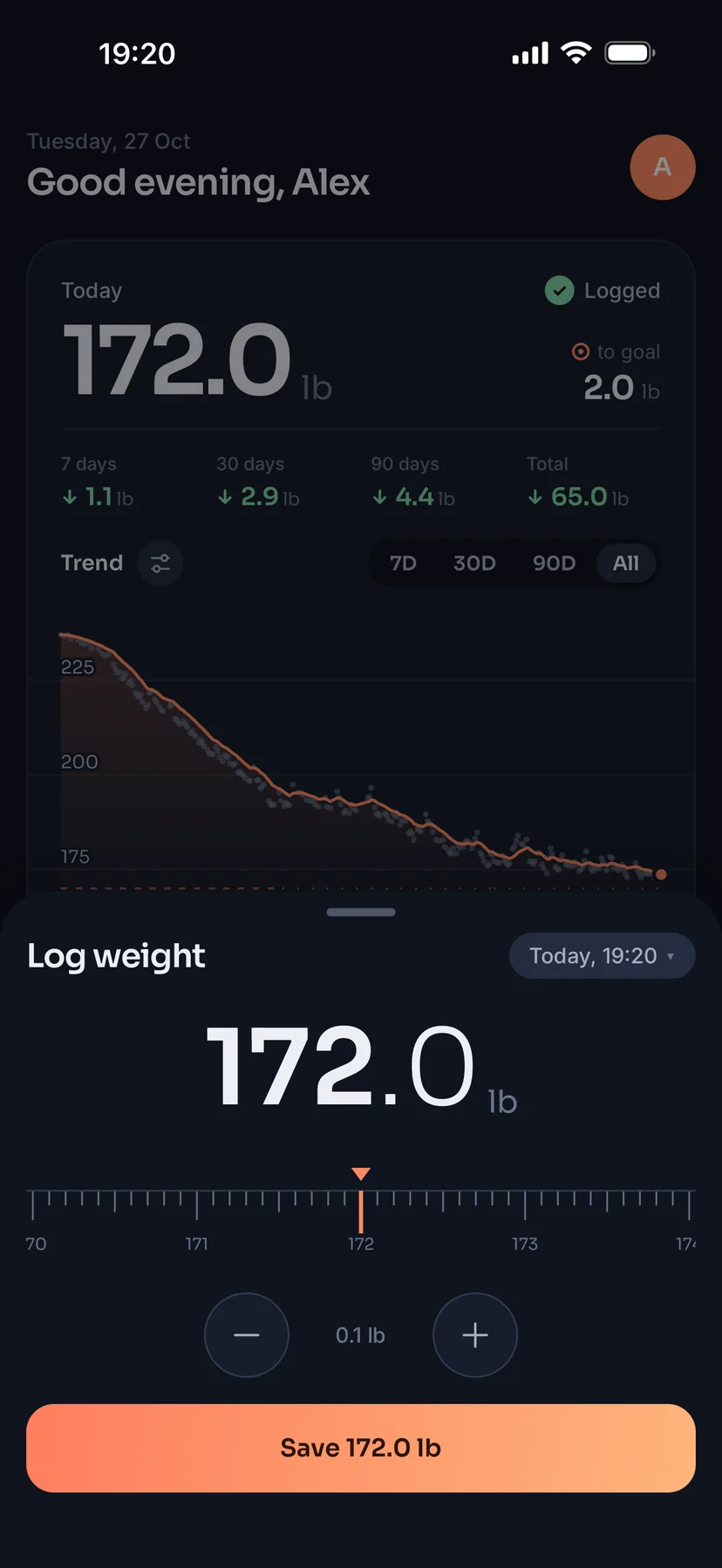
Later weigh-ins use the Log weight sheet.
Two settings worth checking early
Your daily value
If you ever weigh yourself more than once in a day, Weight Tracker needs to know which entry represents the day. Open You → Measurements → Daily weight and choose First of the day, Latest of the day, or Day average. New accounts use First of the day. The first, latest, or average guide explains the difference with an example.
A reminder, if you want one
In the iPhone app, open You → Reminders & data → Weight reminder. The reminder starts at 10:00, and you can change the time. Your phone asks for notification permission when you turn it on. The reminder skips any day that already has a weight, and there are no streaks to keep, so missing a day costs nothing.
Optional extras
Bring in past weights
If a smart scale or another app already records your weight in Apple Health, you can import that history. The import guide walks through connecting, syncing, and disconnecting.
Add a home-screen widget
In the iPhone app, add a widget from the Home Screen widget picker. There are five, and the widgets and reminders guide has the steps and options for each:
| Widget | What it shows |
|---|---|
| Quick Log | A button to log today’s weight. |
| Weight Metric | Your current weight, with an optional change. |
| Weight Trend | A 7, 30, or 90-day chart, or your whole history. |
| Recent Days | Your latest daily weights and changes. |
| Goal Progress | One personal or Shared Goal. |
End of the week: look at the week, then set a goal
After five logged days, Home and History show your trend chart, and Home shows how that trend has changed over 7, 30, and 90 days. Daily numbers move up and down, so compare the week as a whole rather than any single morning. Weight history and trends explains what each number means.
If you skipped the goal at the start, open Goals → New goal → Personal goal. Choose a target weight, an amount or percentage to lose, or a maintenance range. A new goal starts today and runs for 60 days unless you pick 30 or 90 days or a custom end date. To keep a steady weight instead, see maintenance goals. To set one up with friends, see Shared Goals.
Where to go next
- Fixing a typo or a missed day. Log, backdate, edit, and delete weights covers backdating, editing, and what imported entries allow.
- Setting up a goal. Set up a weight goal explains each goal type and what its status means.
- Doing it with friends. Shared Goals help covers inviting, joining, and leaving.
- Units, privacy, and deleting your account. Your account, units, and privacy covers switching between kilograms and pounds, who can see what, and account deletion. There is no data export yet.
Questions
Is Weight Tracker free?
Yes. Weight Tracker is free, and you do not need a card to sign up. It is an iPhone app, coming soon to the App Store.
Can I use Weight Tracker without an iPhone?
Yes. The same account works in the web app in any browser, with logging, history, and goals. Widgets, the daily reminder, Apple Health import, and Sign in with Apple need the iPhone app.
When does the trend chart appear?
After five logged days. Until then, Home shows how many days are left before the chart unlocks.
Do I have to set a goal?
No. You can skip the goal step during setup and just track your weight. Add a goal from the Goals tab whenever you want one.
Can I change between kilograms and pounds later?
Yes. Open You → Measurements → Display unit. Your whole history, goals, and widgets switch to the new unit.
What if I miss a day?
Nothing happens. There are no streaks. If you weighed yourself but forgot to log it, add it later with the right date and time.