Create a Shared Goal in three steps
Before you start, make sure you have a name or nickname in the You tab. It is how other members will see you.
- Open the Goals tab, tap New goal, and choose Shared goal.
- Step 1, Set your shared goal. Give it a Name of up to 60 characters, then set Starts and Ends. The earliest start is tomorrow, and the goal runs 30 days unless you change it. The Length buttons, 30d, 60d, and 90d, set the end date for you. Tap Continue.
- Step 2, Set your target. Pick Target weight, Lose weight, or Lose percentage and enter your value. Choose whether to Show on Home, read what will be shared, and tap Create shared goal.
- Step 3, Invite your people. Tap Share invite or Copy link, then Done. You can also tap Skip for now and invite people later from Manage shared goal.
The goal appears on the Goals tab under Future until it starts.
Who sees what
Before anyone joins, the app shows a summary of what members can see. The table below has the full split.
| Information | Other members |
|---|---|
| Your nickname | Can see |
| Goal progress, from 0 to 100% | Can see |
| Pace: Ahead of pace, On pace, Behind pace, or Needs attention | Can see |
| Whether you logged a weight on each goal date | Can see |
| Starting, current, target, planned, and daily weights | Private to you |
| Your weight change since the start or from day to day | Private to you |
| Individual entries, their times, and where they came from | Private to you |
| Profile details, your other goals, and History outside the goal dates | Private to you |
Inside the goal, you see your own full numbers. For everyone else you see Progress and Pace. Until a member logs a first weight on or after the start date, both show Waiting. Shared progress only appears once the goal is active, and you can review the sharing summary any time under Manage sharing → Sharing & privacy.
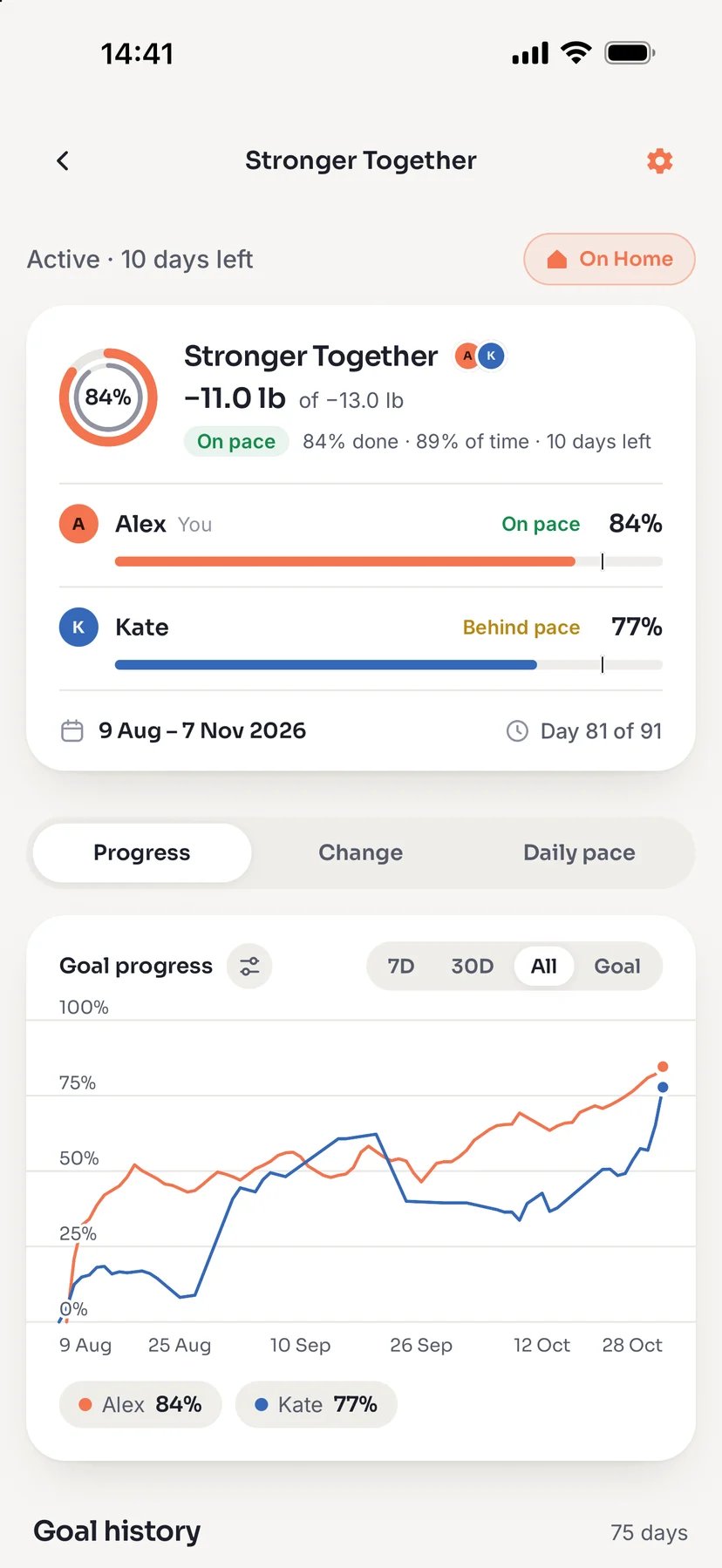
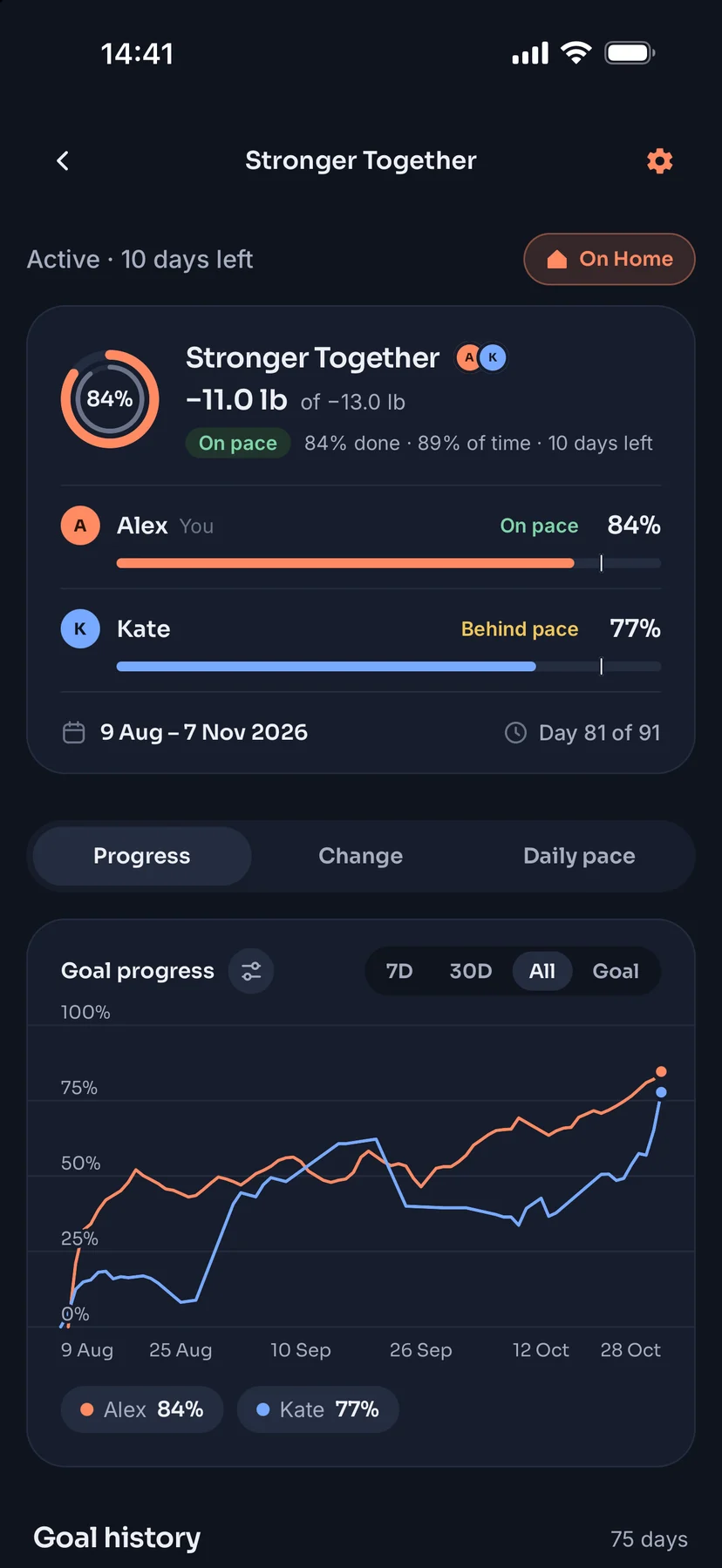
Members see progress on one scale, not each other’s weights.
Invite links
Only the creator can invite, and only before the start date. Open the goal and tap Manage shared goal. Under Invitation, tap Invite people, or Active invite if a link is already out.
- Share invite opens your iPhone’s share sheet, so you can send the link in Messages, Mail, or another app. Copy link puts it on your clipboard. The app never reads your contacts.
- One link at a time. Both options reuse the same active link until it is used, revoked, or expired. Then the next one creates a new link.
- Single use. One link lets one person join. To invite three people, send three links, one after another.
- It expires at the start. The active link shows its expiry date, which is the goal’s start date.
- Revoke active link stops a link you sent to the wrong person. Anyone with the link can accept it, so revoke it if it was shared further than you meant.
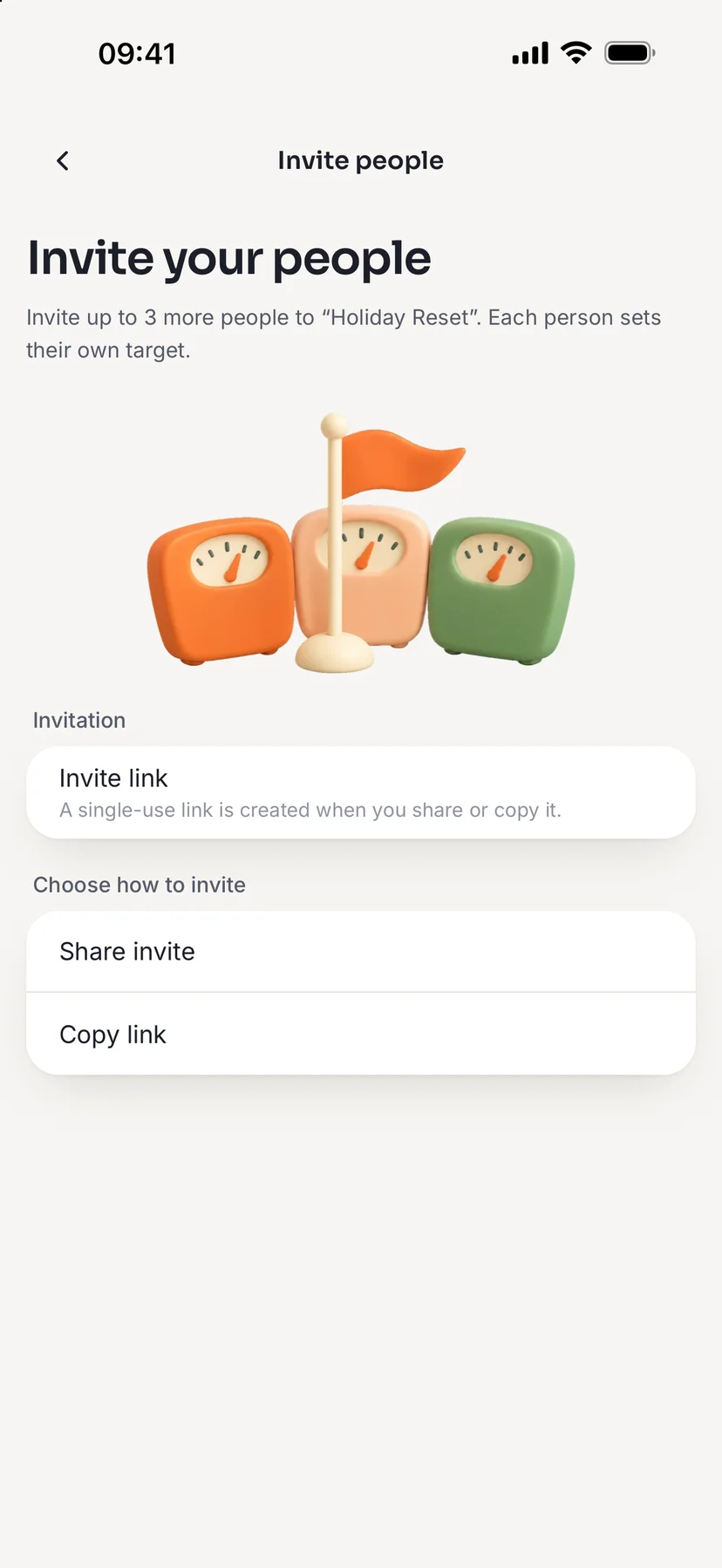
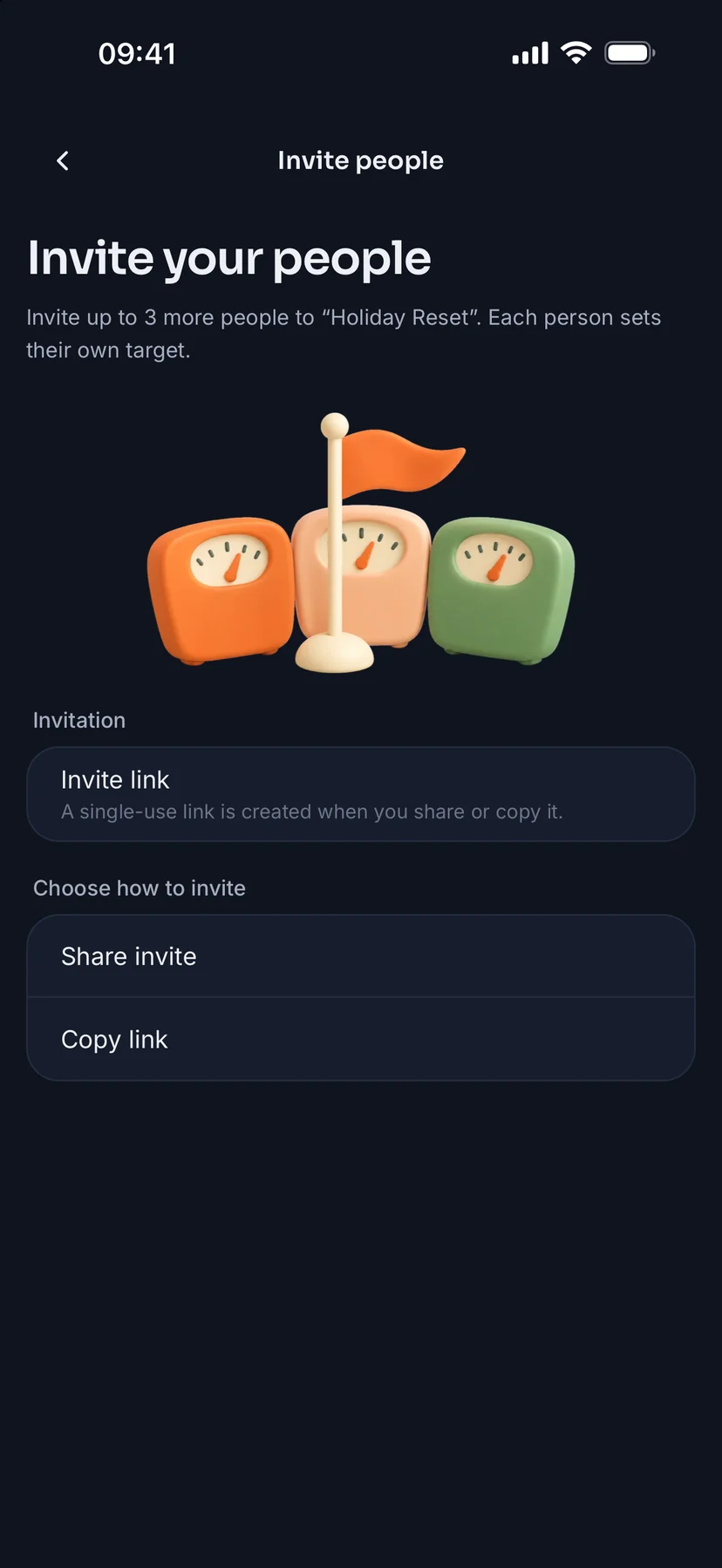
The creator’s invite screen. One link lets one person join.
Joining from a link
- Open the link. You see the goal’s dates, its length, who is already in it, and what Members will be able to see. Opening the link shares nothing.
- If you are not signed in, choose Sign in to review or Create account. The app brings you back to the invite afterward.
- Tap Agree & join, or Not now · keep this link to decide later.
- On Finish your goal, pick your target and tap Set my goal. If you choose Finish later, the goal waits under Needs attention on the Goals tab.
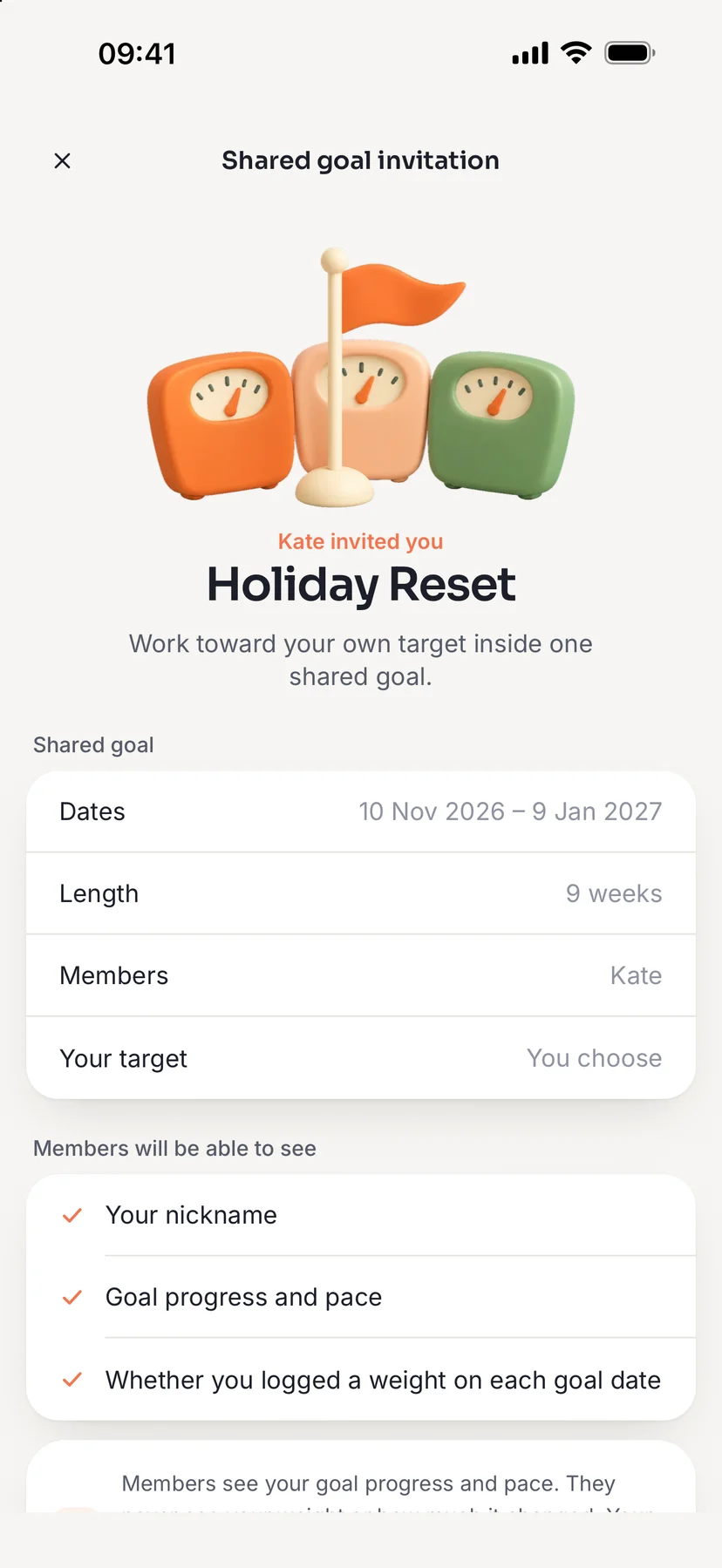
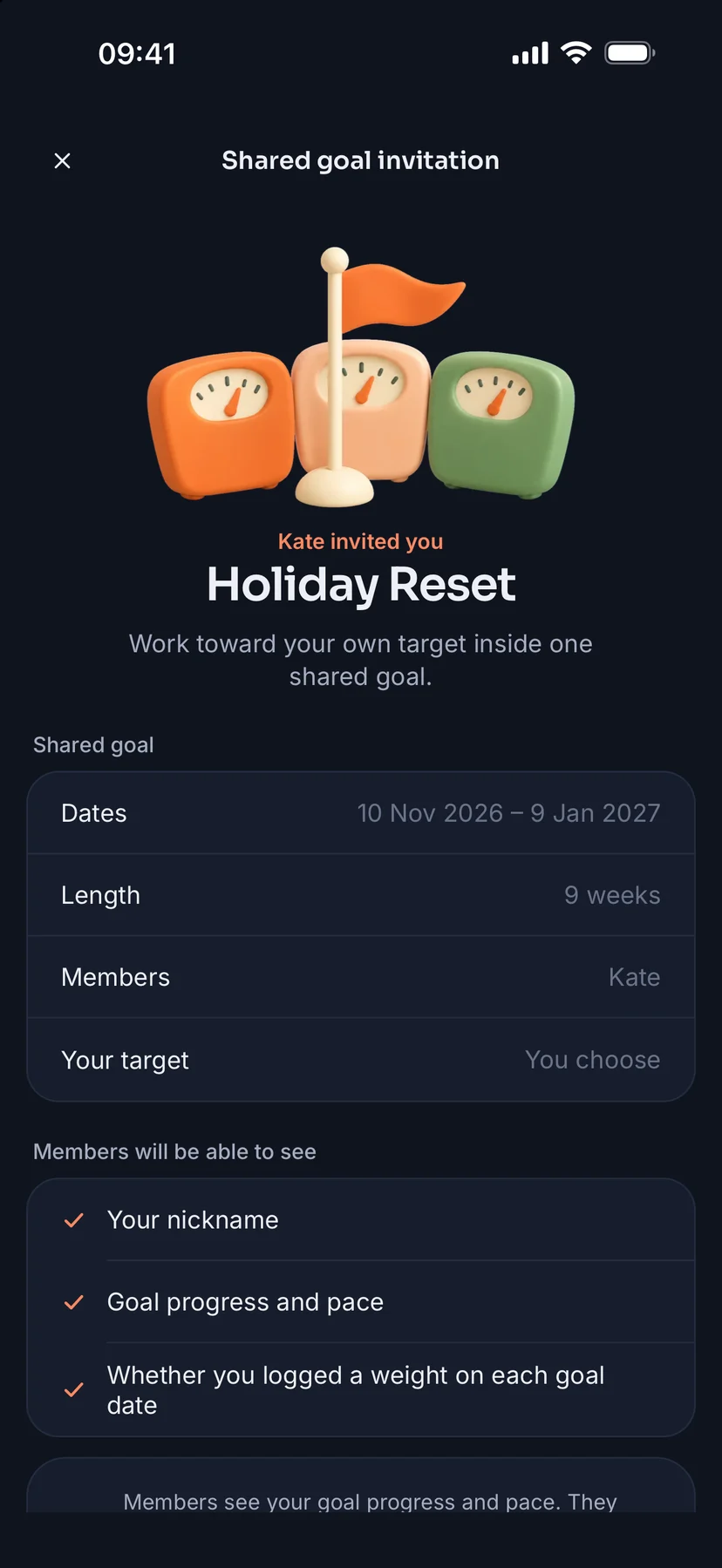
What you see when you open an invite. Nothing is shared until you agree.
Join and set your target before the start date. Invites cannot be accepted once the goal has started, and you only count toward the group once your target is set. After that, you can still change your target from Manage sharing (Manage shared goal if you created it) until the goal starts.
From forming to finished
The status shows on the goal card and in Manage sharing (Manage shared goal if you created it).
| Status | When | What you can do |
|---|---|---|
| Forming | Fewer than two people have set their target. | The creator invites people and everyone finishes their target. |
| Starts (date) | Two or more people are ready and the start date has not arrived. | Invites still work, and ready members can still edit their own target. |
| Active | The start date has arrived with two or more people ready. | Shared progress appears. Targets and dates are locked, and invite links stop working. |
| Finished | The end date has passed. | Each member’s goal is checked against their own target. Your goal card shows Completed or Not reached for your own result. |
| Cancelled | The creator cancelled before the start. | Sharing ends for everyone. Each member chooses what happens to their own goal. |
If the start date arrives with fewer than two people ready, the goal waits. It becomes active as soon as a second person who already joined sets their target. If that never happens before the end date, it ends as Ended before enough people were ready.
Leaving or cancelling
Open the goal, tap Manage sharing (Manage shared goal if you created it), and scroll to Goal actions.
- Leave shared goal removes your progress from every shared view right away, and you cannot rejoin. You then choose Leave and keep as personal goal or Leave and delete my goal.
- Cancel shared goal is what the creator sees before the start, instead of Leave. It ends sharing for everyone and revokes any active link. The creator chooses Cancel and keep as personal goal or Cancel and delete my goal, and every other member keeps their own goal.
- Remove member lets the creator take someone out before the start. That person keeps their goal as a personal goal.
After the start, the creator can leave like anyone else, and the goal continues for the rest of the group. Your weights in History are never deleted by any of these choices. To flag a goal name or a member, use Report this shared goal in the same list.
If an invite does not work
| What you see | What to do |
|---|---|
| This invitation expired | Links expire when the goal starts. If it has not started yet, ask the creator for a new link. Once it has started, nobody new can join. |
| This invitation was already used | Each link works for one account. Ask the creator for a link of your own. |
| This invitation was revoked | The creator stopped that link. They can make a new one while a spot is free. |
| This shared goal is full | A Shared Goal holds up to four people. Someone has to leave, or be removed by the creator before the start, to free a spot. |
| I chose Not now · keep this link | Nothing was shared and the link was not used. Open the same link again before the start date to join. |
| Add a name or nickname in You before joining this shared goal. | Members see you by your nickname. Add one in the You tab, then open the link again. |
How progress is compared
Members compare progress as a percentage of their own planned loss, so different body sizes and targets sit on one fair scale. Take two members with made-up numbers:
- Sam starts at 200.0 lb with Target weight 180.0 lb, a planned loss of 20.0 lb, and has lost 6.0 lb.
- Alex starts at 180.0 lb with Lose percentage 5%, a planned loss of 9.0 lb, and has lost 4.6 lb.
Sam has lost more weight, but Alex is further along. Progress is rounded down, as for personal goals. Pace uses the same rule too: progress minus the share of time that has passed. The thresholds are on Set up a goal.
Free toolWeight loss percentage calculatorWork out how much of your starting weight you have lost, and how far you are toward a target, the same way a Shared Goal measures progress.Open the toolFor rules that keep a group challenge fair and friendly, read how to run a weight loss challenge. For an overview of the feature, see Shared Goals.
Questions
Can other members see my weight?
No. They see your nickname, your progress from 0 to 100%, your pace, and whether you logged on each goal date. Your starting, current, target, and daily weights, and how much you have lost or gained, stay private.
Can any member invite people?
No, only the person who created the Shared Goal can send or revoke invite links, and only before the start date.
Can a Shared Goal be a maintenance goal?
No. Each member chooses Target weight, Lose weight, or Lose percentage. Maintain weight is only available for personal goals.
Can the creator change the dates?
Only until the first person accepts an invite. After that the dates are locked for everyone. The creator can still rename the goal until it starts.
What if only one other person joins?
That is enough. A Shared Goal starts with two or more people who have set their target. Once it is active, it keeps going even if someone leaves.
Do I lose my weights if I leave?
No. Your weights stay in your History either way. Leaving only decides whether your goal stays as a personal goal or is deleted.